Guest Lists With Live Tracking & Changes You Control
The paper guest list has a talent for failing at the worst possible moment: 9 pm, a line forming, and four people at the front insisting they are on it. The Guest List tab in the Creator Portal replaces the clipboard with a live list your whole team can see and it is live for every event today.
One list and no confusion
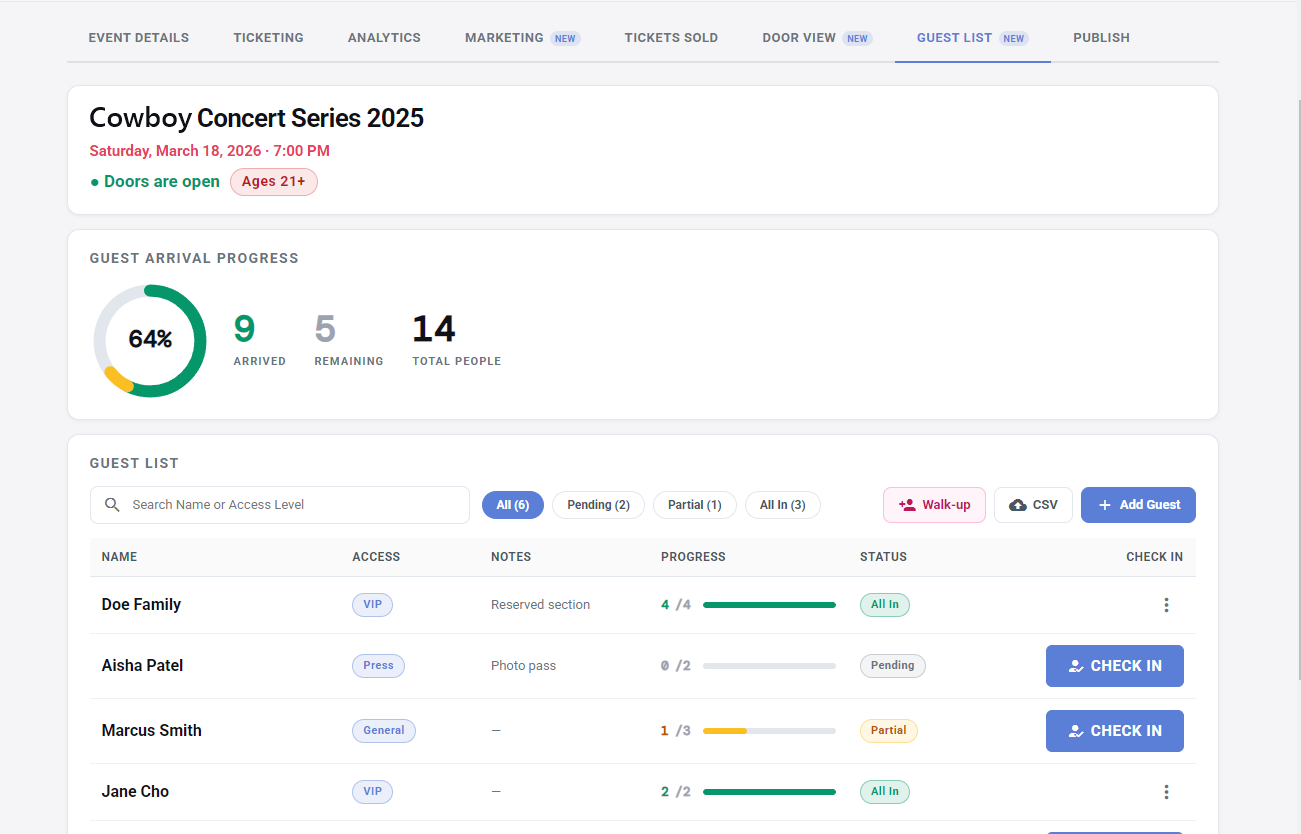
Add guests one at a time, bring them in by CSV, or add walk-ups on the spot after your event has started... everyone lands on one list that updates in real time on every device and every entrance. When the person at the front door checks someone in, the person at the side door sees it instantly. No radio calls, no "wait, which version of the list do you have?"
Check in a party of five with two taps
Real guests arrive in clumps: "plus three," "talent or DJ." Guest List handles parties natively. Each guest has a party size, and check-in is a tap counter. Progress bars fill as people land, and labels tell you at a glance who is complete, who is half here, and who has not shown at all.
Access levels the door can see
A name on the list answers "can they come in?" Access levels answer "where can they go?" Tag guests as VIP, press, backstage, or whatever your event needs. The level shows right on the list, so the door never has to guess who gets a wristband and who heads backstage. There is more on running levels smoothly in the guest list management guide.
Walk-ups and CSV imports
For the guest who materializes at the door; the owner's friend, the late addition, the buddy of the performer...the Walk-up button can add them in seconds: name, party size, access level, then either add them to the list or add and check them in, all in one motion.
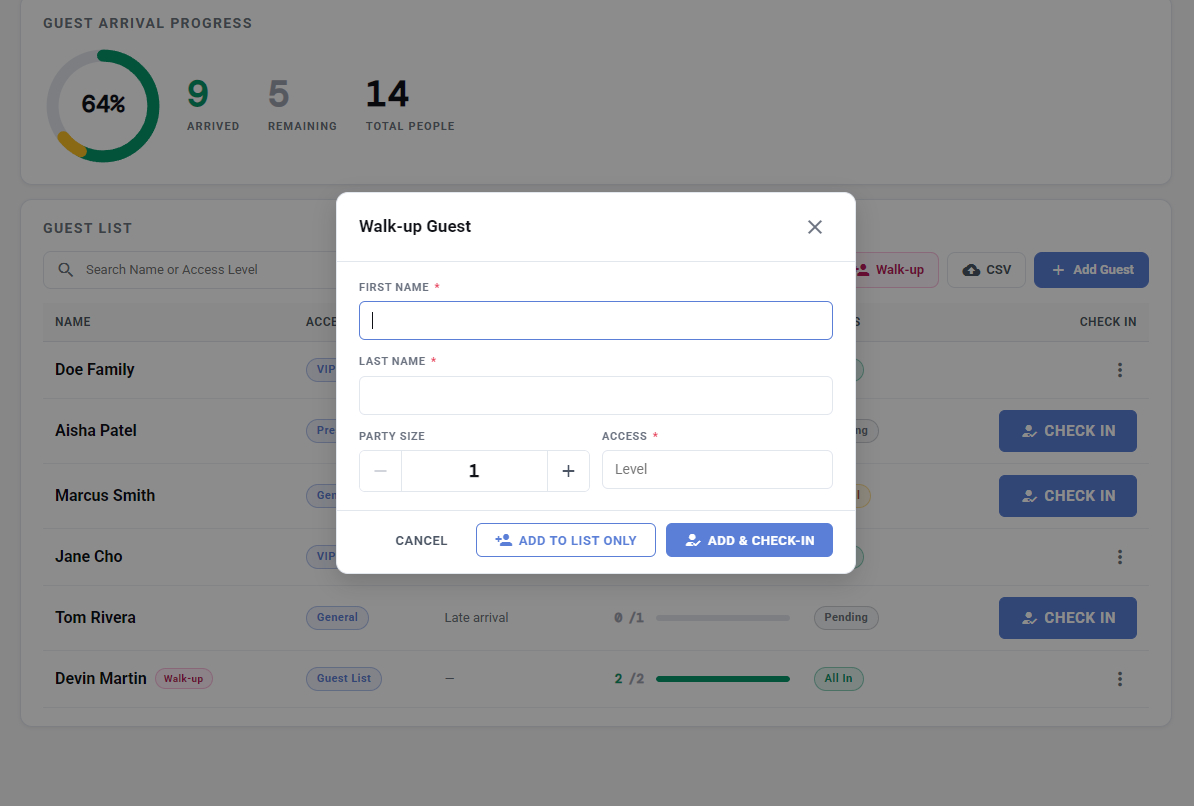
Bigger lists come in by CSV with a review step before anything commits, so the sponsor's messy spreadsheet gets a once-over before it becomes your door's problem.
Put your list to work
Guest List is live in the Creator Portal now — sign in at Creator Login and open any event. Pair it with Door View so ticket scans and list check-ins share one screen, and hand your crew the door playbook before the big night.
Interested in partnering? We can help!
Our team consults on your events — planning, ticket strategy, strategic partnerships, and best practices on running the event itself. Every new creator gets FREE personalized onboarding and help. Talk to a real person before you sell a single ticket.