
Top 5 Best Ways to Manage Guest Lists Without Headaches
Guest lists start as a favor and can end as an emergency. The spreadsheet gets printed in the afternoon, edited by text an hour later, and contradicted at the door by someone saying "They added two more so it should be fine." Meanwhile the person at the door squints at a clipboard while a line forms behind the confusion. It doesn't have to work this way.
Say you're running an album release show in a 150 capacity room. The label sends names, the band adds their people, a sponsor wants six spots, and the photographer needs a plus one. Four sources, twenty odd names, one door person: the exact setup that can cause door seepage. Here's how to run it instead.
Why spreadsheets or paper guestlists fail at the door
A spreadsheet is a snapshot and doors are live. Three failure modes show up every time:
- The printed list is frozen at print time but names can change until doors open.
- One paper list means one check-in lane, no matter how many staff you have.
- Checkmarks capture nothing so afterward you can't tell who came, when, or who let them in.
None of these are people problems. They're tooling problems, and they disappear when the list becomes live instead of static.
Keep one list, and make it the truth
Collect every name in one place: comps, plus-ones, press, staff, artist guests, or VIP tables. Route every request through the same short flow:
- The request lands with one owner... meaning you or whoever runs the list.
- The owner adds the name with a party size and an access level.
- The list syncs instantly to every door staffer's phone at any access point.
The moment two lists exist, the door inherits the job of merging them under pressure, so the flow above is the whole system. When the label's names arrive as a spreadsheet anyway, import the CSV into your Nrby Events guest list and review each row before it lands; "Jon +3" and his duplicate "Jonathan" get caught right away and not later.
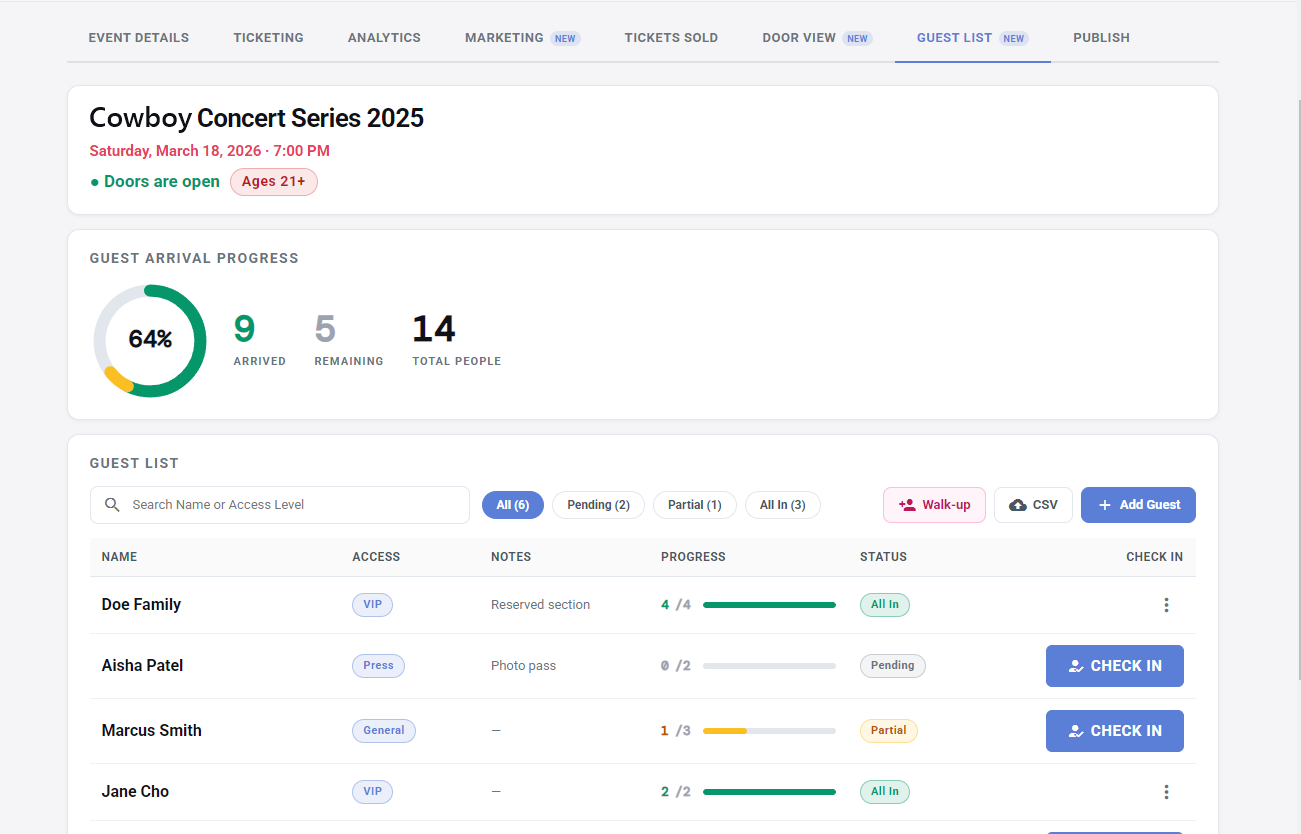
If comps make up a big share of your list, comp tickets deserve their own plan.
Check people in live and manage access
Live check-ins do three jobs at once. They stop double entry because a name can only be used once. They give you a running count of who's actually inside, which matters whenever capacity does. Lastly, they leave a record you can use afterward when the list turns into real information about who showed up, which is the starting point for understanding who your audience actually is.
Parties don't arrive neatly and a live list handles that too. When the sponsor's six-person party shows up four strong, the door counter updates the progress bar which reads four of six, the guest shows as Partial, and any staffer can see two spots remain when the stragglers arrive. Access levels ride along with each name, whether that's VIP, press, or backstage, so the door knows the photographer heads to the pit and the agent rep goes to the VIP backstage without radioing anyone.
Handle walk-ins without breaking the system
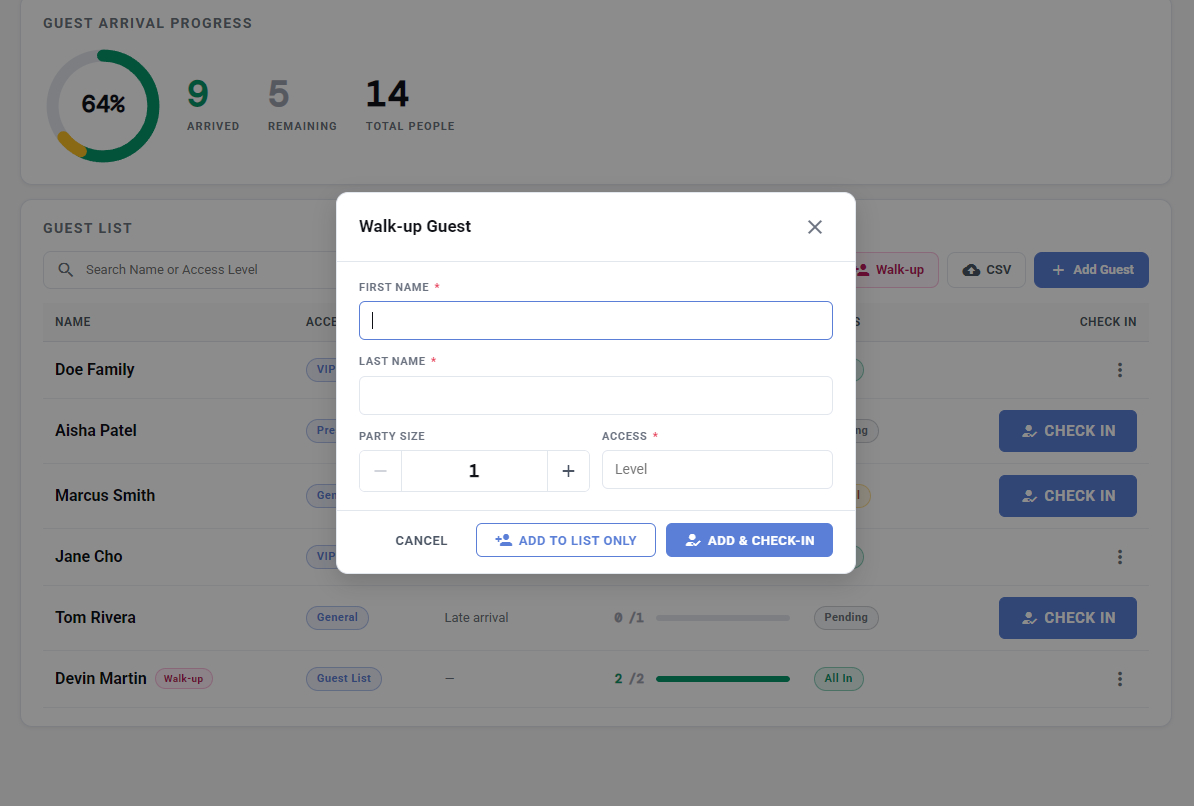
Someone important always can show up unannounced. The wrong answer is waving them into the event off any list, because off-list entries are invisible: no count, no record, no proof anyone approved them. The right answer is adding them properly and fast. The walk-up form takes a name, a party size, and an access level, and one tap either adds them to the list or adds and checks them in on the spot.
Quick checklist
- One connected list with every source routed into it, one owner.
- Spreadsheet names imported by CSV and reviewed before event day.
- Party sizes and access levels set before doors open.
- Cutoff announced and a late add path agreed anyway.
- Every door phone synced to the live list.
- One or two named people allowed to add walk-ups.
The next step is to retire the clipboard before your next event. Create your event on Nrby and build the guest list there. Live check-ins, party size counters, custom levels, and instant sync are included, and the feature tour lives in guest lists that update themselves. The list your team sees at ten is the list you last touched at ten and not the one you printed at four.
Interested in partnering? We can help!
Our team consults on your events — planning, ticket strategy, strategic partnerships, and best practices on running the event itself. Every new creator gets FREE personalized onboarding and help. Talk to a real person before you sell a single ticket.